 XXstory
Public vs Private Instagram Stories: How Visibility Actually Works
Public vs private Instagram stories decide who can see a story: non-followers can view public stories, while private stories stay with approved followers. This guide maps story visibility, Close Friends, highlights, viewer limits, and safe public-only viewing.
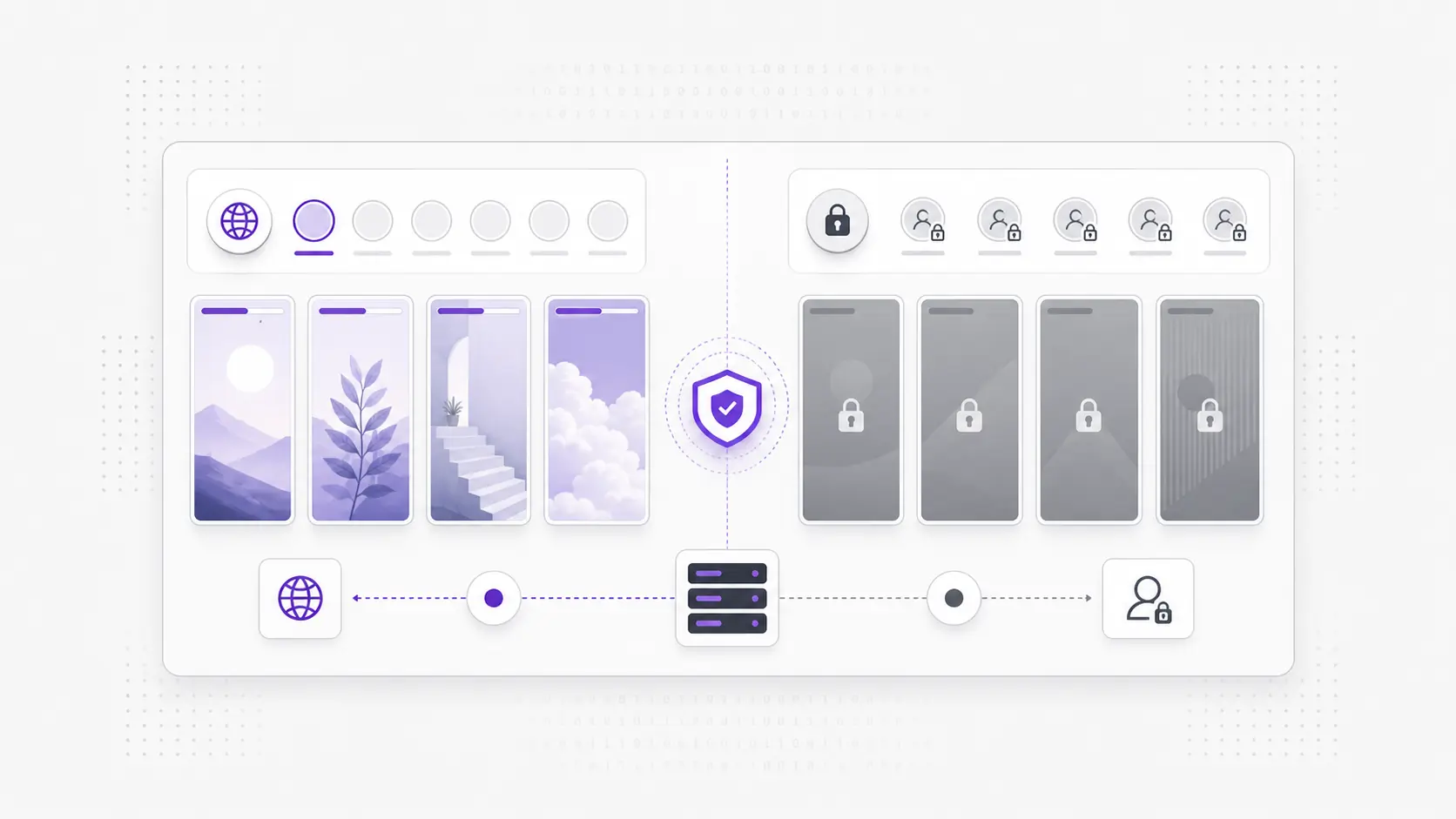
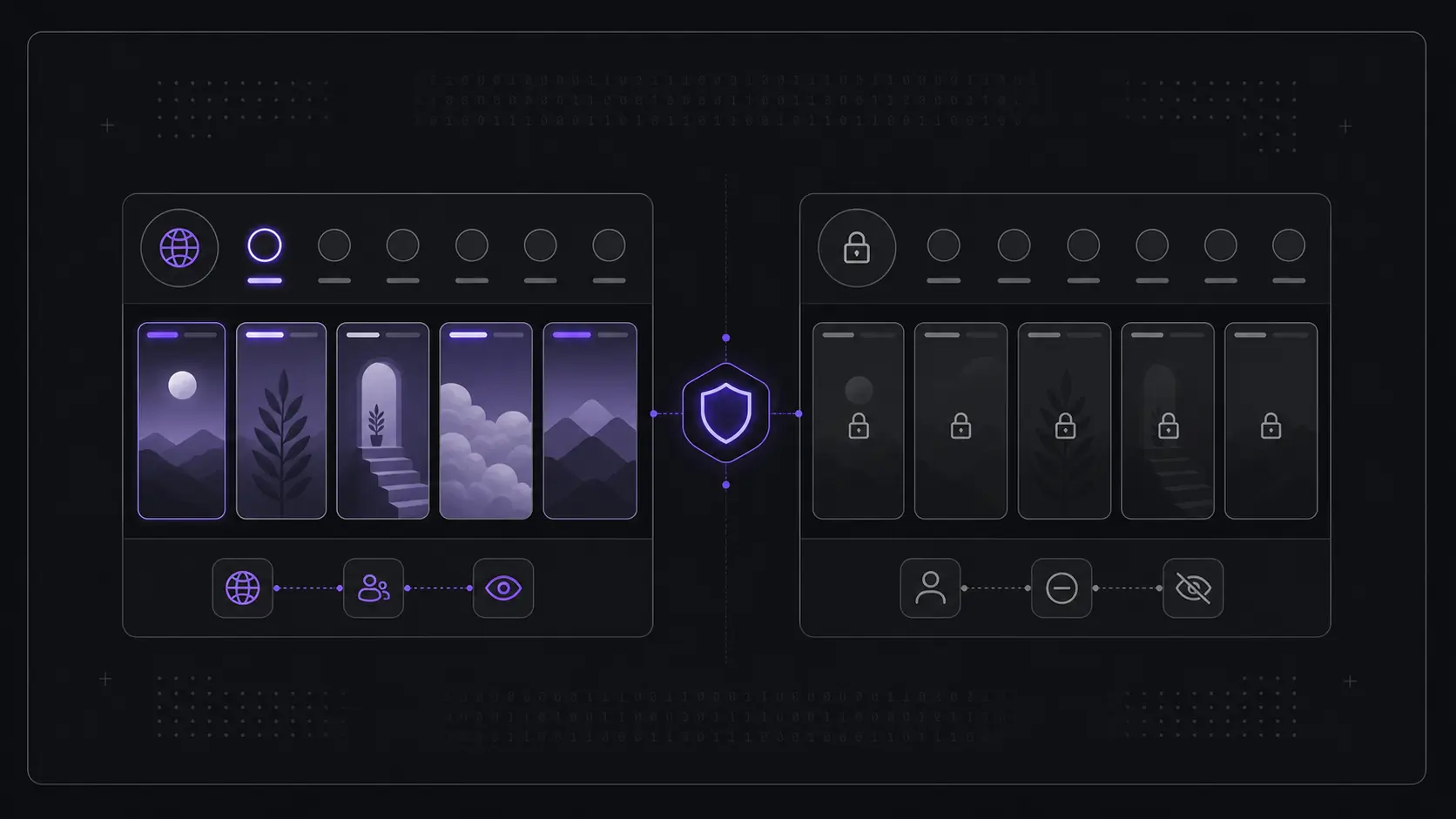
Short answer: A public Instagram account's stories are visible to anyone, follower or not, while a private account's stories are served only to approved followers. That single account-level setting decides what a non-follower — or any story viewer — can ever see, because Instagram enforces the boundary on its servers, not in your browser.
Almost every question about story viewers comes down to one setting: is the account public or private? That switch decides who can see an Instagram story, what is visible to non-followers, and therefore what any tool — or any logged-out person — can ever see. Everything below explains how the switch works, what flips when an owner changes it, and why no tool can move that line.
What does "public" mean for an Instagram story?
A public account has no approval step, so its active stories are served to anyone who can reach the profile — followers, logged-out visitors, and any tool reading the public layer. The owner has effectively published that content to the open web of Instagram for the 24 hours it stays live.
Because there's no gate, a public profile's stories can be previewed without following, without an app, and without logging in. This is the only layer an honest story viewer reads. It isn't a bypass or a loophole — it's the same content Instagram already shows a stranger who taps the profile. Highlights work the same way: on a public account, saved highlights stay reachable to non-followers after the 24-hour story window closes, because they inherit the profile's public visibility.
That does not mean a public story is invisible to its owner. If you watch inside Instagram while logged in, your account can appear in the story viewer list. If you need that separate viewing-footprint question, read can someone see I viewed their Instagram story and do anonymous Instagram story viewers show up.
What does "private" change about story visibility?
A private account flips the model entirely. Stories — and highlights — are served only to approved followers. A non-follower sees nothing: not a blurred preview, not a teaser, not a count, nothing. The story ring doesn't even render for someone outside the follower list.
This is by design and enforced on Instagram's side. The content is never delivered to anyone who isn't an approved follower, so there is no client-side trick that can reveal it. That's why no honest tool can show a private account's stories: the data simply isn't in the response. A viewer can only ever surface what Instagram itself would serve a logged-out stranger, and for a private account that's an empty set.
For the deeper safety version of this boundary, see can you view a private Instagram story without following. The short version is the same: private means approved followers only, not "available through a different viewer."
What happens when an account switches between public and private?
When an owner toggles their account from public to private, visibility changes going forward immediately. New stories are served only to approved followers, and the profile's existing posts and highlights stop being reachable by non-followers. Tools and logged-out visitors lose access at the same moment a stranger would.
The reverse is also true: flipping from private back to public re-opens the content to everyone, with no approval needed. There's no delay you can exploit and no cached "public" copy a tool keeps — visibility is read live from the account's current setting each time. If a profile you previewed yesterday shows a lock today, the owner changed the switch, and that's the end of the matter. The owner's choice is the whole game, and it can change at any time.
What does a non-follower actually see on each?
On a public account, a non-follower sees the profile, the post grid, a story ring when something is live, the active stories themselves, and any saved highlights. On a private account, a non-follower sees only the profile name, bio, follower and post counts, and a "This account is private" notice — no grid, no ring, no stories, no highlights.
| Question | Public account | Private account |
|---|---|---|
| Can non-followers see stories? | Yes | No |
| Can a viewer preview them? | Yes | No |
| Are saved highlights visible to non-followers? | Yes | No |
| Do expired stories return? | No | No |
| Is a login ever required? | No | N/A (nothing is served) |
| What does a stranger see? | Profile, grid, ring, stories, highlights | Profile, bio, counts, lock notice |
Can non-followers see my Instagram story?
If your account is public, yes: non-followers can see active stories unless you use a narrower control such as Close Friends or hiding your story from a specific account. If your account is private, no: non-followers do not get your active stories, highlights, posts, or reels unless you approve their follow request.
That is why a public story can be viewed without an account, while a private story cannot. For the no-login public-story side of that distinction, read watch public Instagram stories without an account.
Where do close friends stories fit in?
Close friends stories are a third, tighter layer that sits inside any account. Even on a public profile, a story posted to the green close-friends list is served only to the hand-picked accounts on that list — not to ordinary followers, and certainly not to non-followers or any tool reading the public layer.
So close friends is a per-story restriction on top of the account-level public/private setting. A public account can post some stories to everyone and others to close friends only; the close-friends ones behave like private content for everyone outside the list. That makes them invisible to a story viewer for the same reason private-account stories are: Instagram never serves that content to anyone the owner didn't explicitly include.
Why can't any tool cross the public–private boundary?
No tool can cross the boundary because the boundary isn't enforced in the browser or the app — it's enforced on Instagram's servers, which decide what to send based on the account's setting and your relationship to it. A viewer only formats data Instagram already returns; it can't request, decrypt, or reconstruct content the server refuses to deliver.
Any service claiming to "unlock" private stories, close friends content, or follower-only highlights is either showing nothing, recycling old public data, or attempting credential theft. The honest mechanic is simple: public means served to everyone, private means served to approved followers only, and no layer of software changes which side of that line a profile sits on. Respecting the boundary is the only way a tool stays both honest and useful.
How can I tell which side a profile is on before I try?
Open the profile in a browser while logged out. If you can see the post grid and a story ring, the account is public and its stories are previewable. If you're met with a lock icon and "This account is private," nothing a viewer can do will change that — the content isn't being served to you.
This 10-second check saves time chasing tools that promise the impossible. If the profile is public and currently has an active story, a public-only Instagram Story Viewer can show the same public layer without requiring your Instagram login.
FAQ
Can a story viewer show a private account's stories if I have the link? No. A direct link doesn't change who Instagram serves. A private account's stories are delivered only to approved followers, so the link returns nothing for a non-follower or a tool.
Do public stories require me to log in? No. Public stories are served to logged-out visitors, so a viewer can preview them without an account or password. Login is never needed for public content, and you should never enter Instagram credentials into a third-party tool.
Who can see my Instagram story if my account is public? Anyone who can reach the profile can see a normal public story during its 24-hour window, including followers, non-followers, and logged-out visitors. Close Friends and story-hide settings can narrow that audience for specific stories.
Who can see my Instagram story if my account is private? Only approved followers can see normal stories on a private account. Non-followers, logged-out visitors, search engines, and public story viewers do not receive the story data.
If an account was public yesterday, can I still see today's story after it went private? No. Visibility is read from the account's current setting. The moment it switches to private, new and existing stories stop being served to non-followers — there's no cached public copy to fall back on.
Are close friends stories the same as private-account stories? Not quite. Close friends is a per-story restriction that can exist even on a public account, limiting that story to a hand-picked list. To everyone outside the list, it behaves like private content and stays invisible.
Can I see expired stories on either account type? No. Once a story passes its 24-hour window it expires for everyone, public or private. Only highlights the owner deliberately saved remain — and only on a public account for non-followers.
Knowing which side of the line a profile sits on is the whole game. When you're working with a confirmed public handle, the anonymous Instagram story viewer shows that public layer exactly as Instagram serves it — no logins, no promises it can't keep.